Peripherals Configuration desktop
Configuration
Peripheral configuration adds the external 3rd party software to create 3D models to Artivact.
It is only available in the desktop version.
The page shows configuration options for every external part of 3D model creation:
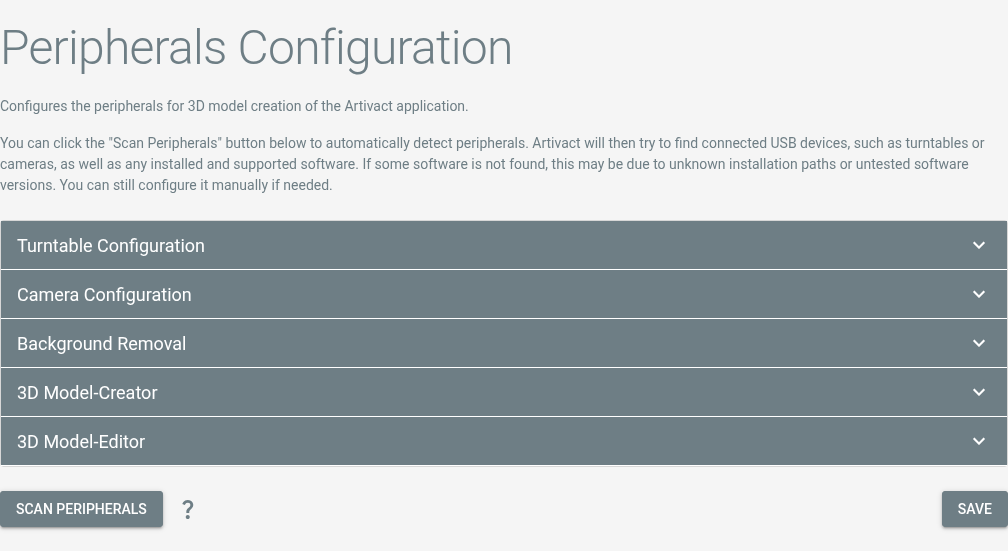
By clicking on "Scan Peripherals", Artivact attempts to detect connected devices and installed software and create configurations for them.
Turntable
Linux Systems
Linux users have to be in the dialout group in order to use the Artivact turntable!
After assembly of the turntable, you can connect it to your PC via USB and configure it in Artivact.
| Selection | Configuration Value |
|---|---|
Artivact Turntable | Artivact's DIY turntable |
Camera
For automatic image capturing, you need to attach your camera to your PC using USB and enable Picture Transfer Protocol (PTP) on it. If the camera is not working with the builtin PTP peripheral adapter, you can install additional Software to control it remotely. Currently, DigiCamControl for Windows systems and gphoto2 for Linux systems are supported as fallback.
DigiCamControl
Supported Version
DigiCamControl integration has been tested for Version 2.1.
| Selection | Configuration Value | Example |
|---|---|---|
DigiCamControl | The application's executable | C:/Program Files (x86)/digiCamControl/CameraControlCmd.exe |
gphoto2
Supported Version
gphoto2 integration has been tested for Version 2.5.
| Selection | Configuration Value | Example |
|---|---|---|
gphoto2 | The application's executable | /usr/bin/gphoto2 |
Background Removal
Artivact can automatically remove the background of captured images. For this, open-source neural networks for salient object detection are used. The default configuration should provide acceptable results.
If sharper / better results are needed, you can download new networks, place them in the project's ./utils/onnx/ directory and configure their parameters here.
The free and open-source tool rembg by Daniel Gatis offers a collection of networks and a comparison of them on his project's Github page.
Model Creator
Model creation with photogrammetry is supported by Artivact through external programs.
Meshroom
Supported Version
Meshroom integration has been tested for Version 2025.1.
Metashape
Supported Version
Metashape integration has been tested for Version 2.2
RealityScan
Supported Version
RealityScan integration has been tested for Version 2.1
Model Editor
Model editing is supported by Artivact through an external application: Blender 3D.
Blender 3D
Supported Version
Blender integration has been tested for Versions 4.5 and 5.0.
For model editing, Blender 3D can be opened from within Artivact. The selected model-set, containing an OBJ 3D model from the previous steps, will automatically be imported.
The final 3D model should be exported as GLTF/GLB file into the default folder suggested by Blender.
It can then finally be transferred to the virtual items media section and used from there on.