Item Details
Information on the Details Page
When opening an item, the item details page is shown. 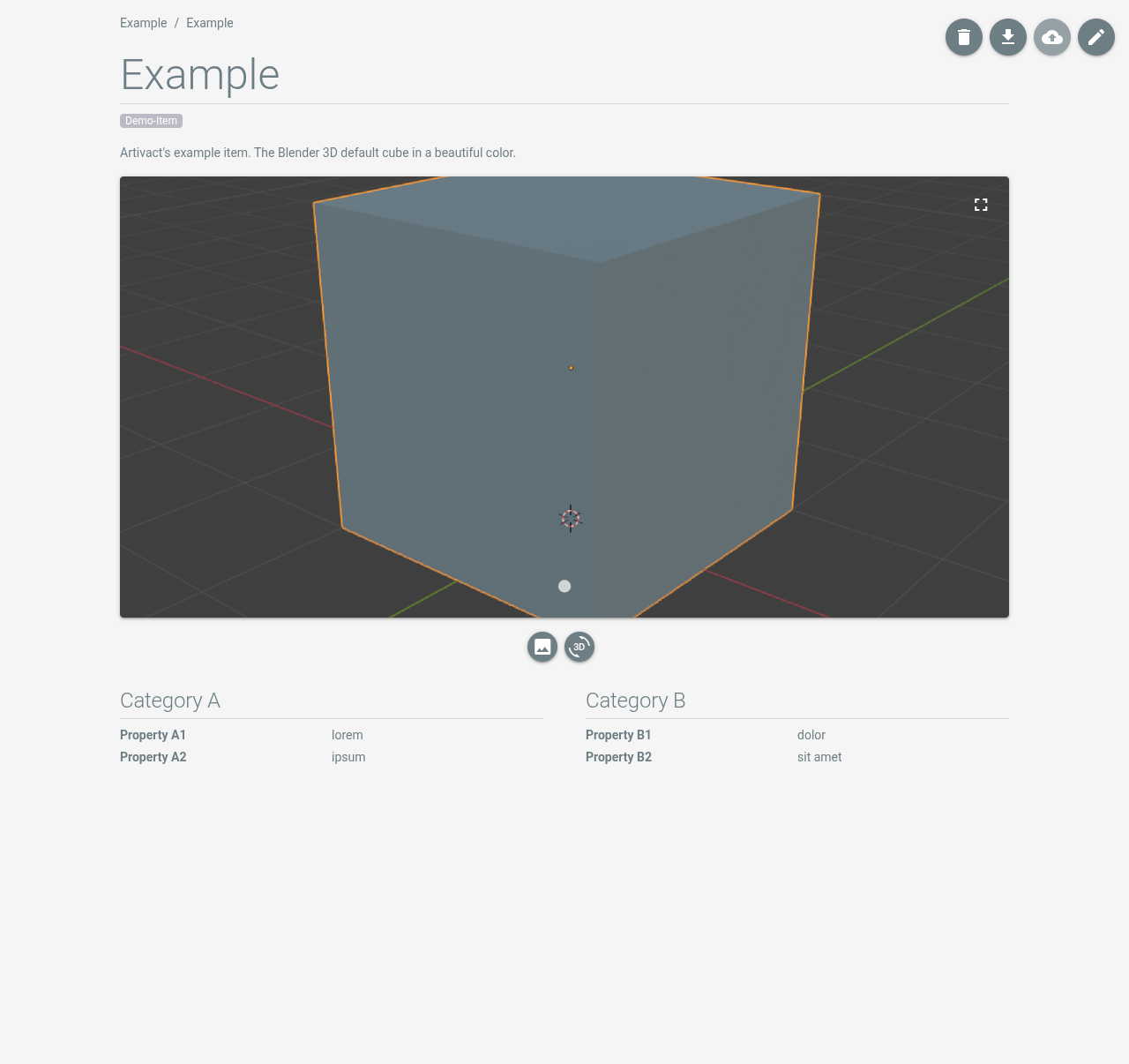
The item details page consists of the following parts:
- Core item data like tags or the item's title and description.
- Item media files like images and 3D models.
- Item properties, grouped in categories.
Properties, as well as tags, can be defined in the system settings.
Item Actions
The buttons in the top right of the details page offer the following actions:
| Button | Description |
|---|---|
 | Deletes the item and all its associated files. |
 | Exports the item and its media files as ZIP-file. |
 | Synchronizes the item with a remote Artivact instance. Only available if a remote instance is set in the exchange configuration. |
 | Opens the item's editor. |