Artivact's Settings
Introduction
Artivact offers multiple configuration options to e.g. define your collection or customize its appearance.
Settings are available by clicking the cog icon in the top bar: 
The opened menu contains the following items: 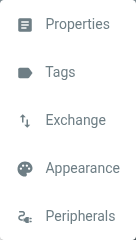
which offer the following functionality:
| Entry | Description |
|---|---|
| Properties | Configures the properties that can be maintained for every item. |
| Tags | Configures tags that can be assigned to items for item management or selection. |
| Exchange | Configures a remote Artivact instance for item upload as well as options to export and import the collection. |
| Appearance | Configures various aspects of the application's appearance. |
| Peripherals | desktop Configures external hard- and software for 3D scanning of items. |